
“Add to Home Screen” is missing
You are probably in an in-app browser. Tap the compass or “Open in Safari/Chrome” button first. On iPhone, also scroll to the very bottom of the Share sheet.
Every modern phone and tablet can put a website on the home screen as an icon that opens like an app. It takes three taps and nothing to download. Pick your device below.
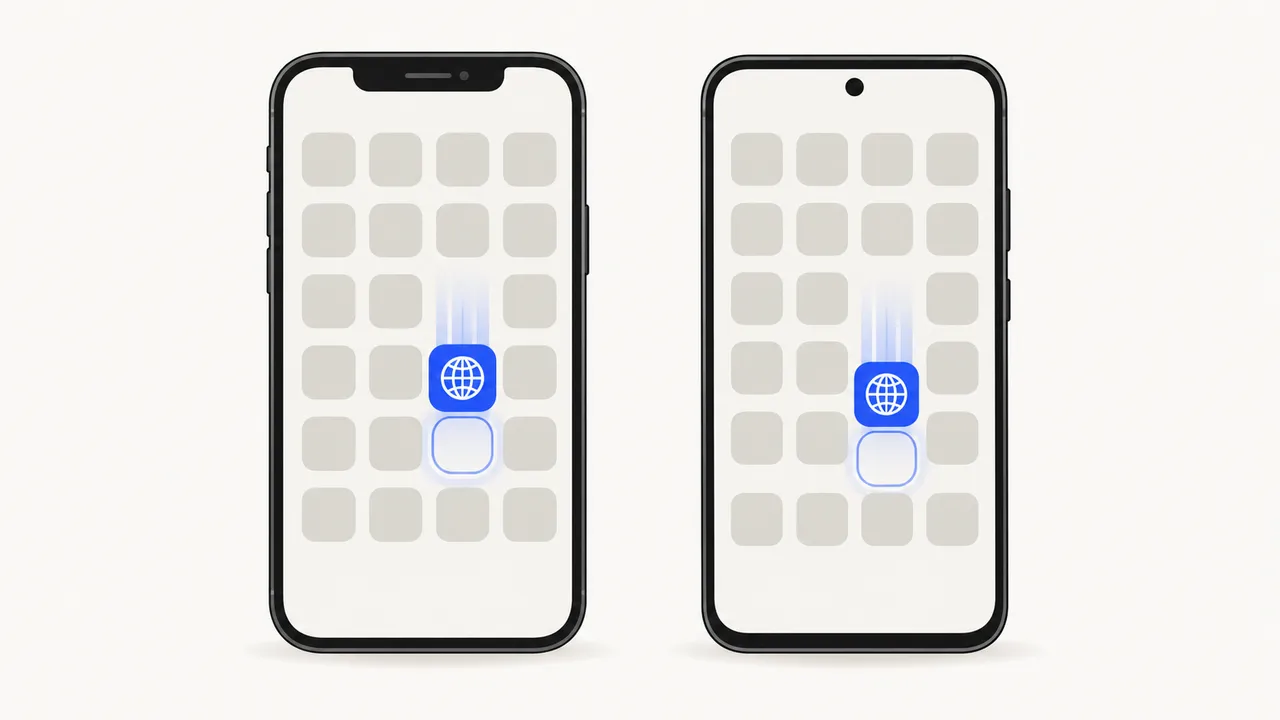
The steps are the same on every recent iOS version; iOS 26 adds one switch.
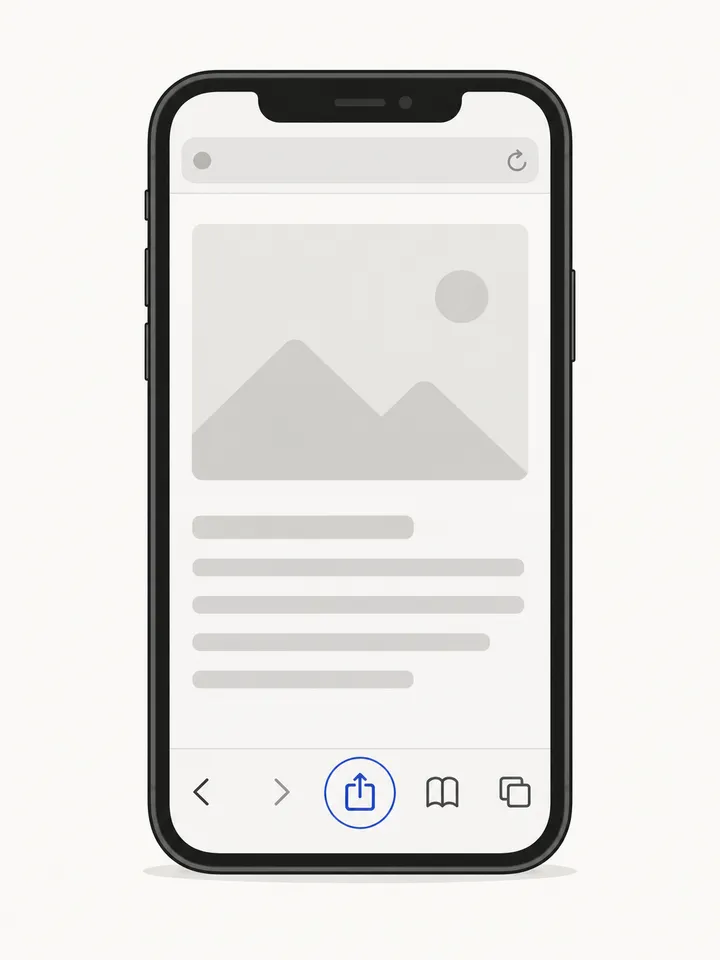
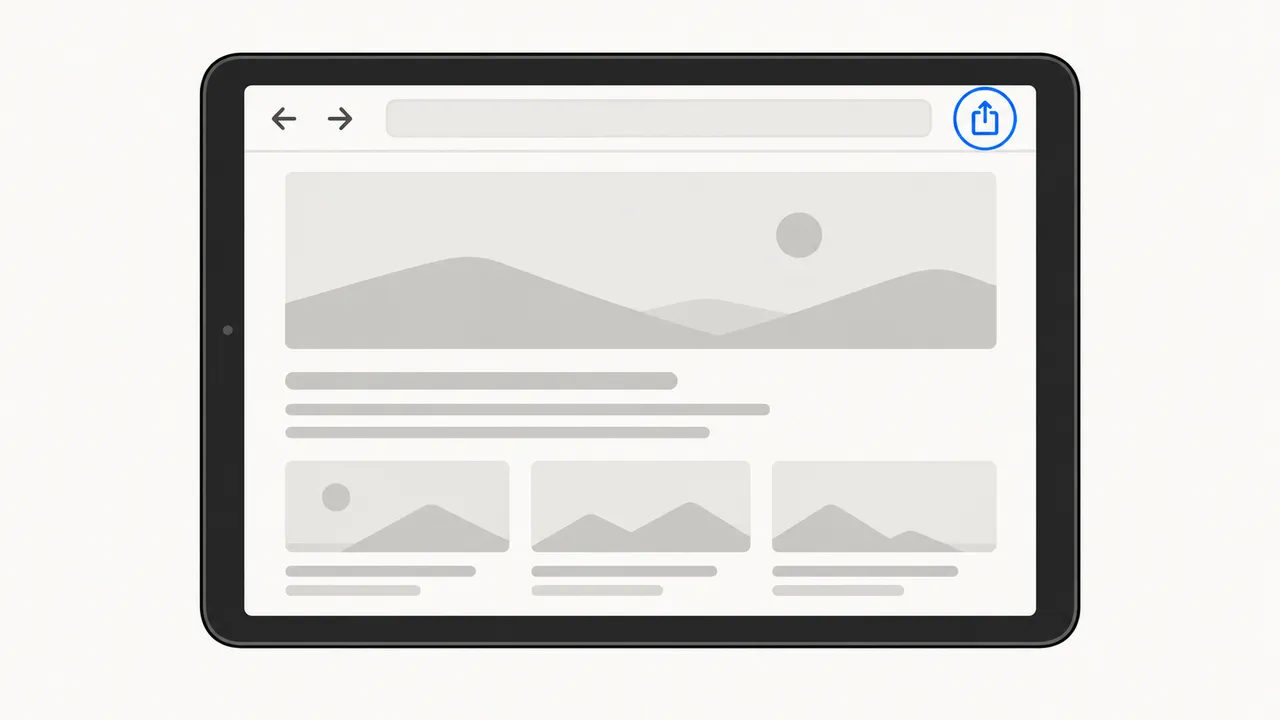
Go to the page you want, then tap the Share button (a square with an arrow) in the toolbar. With the compact tab bar on iOS 26, tap ••• first.
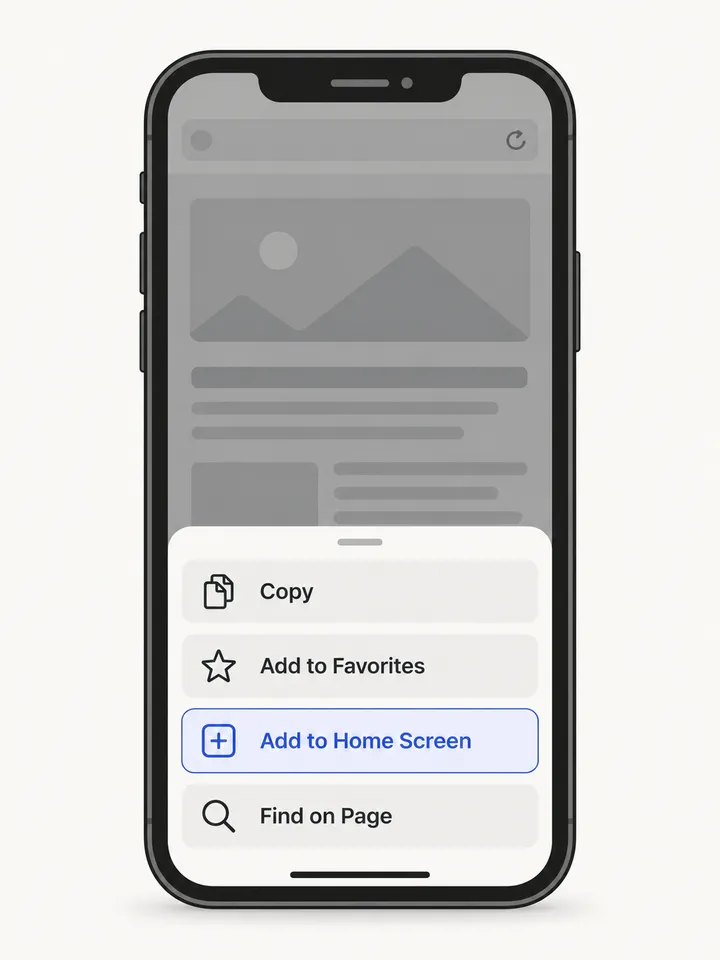
Scroll down the list of actions if you do not see it. Tap Edit Actions at the bottom to move it to the top for next time.
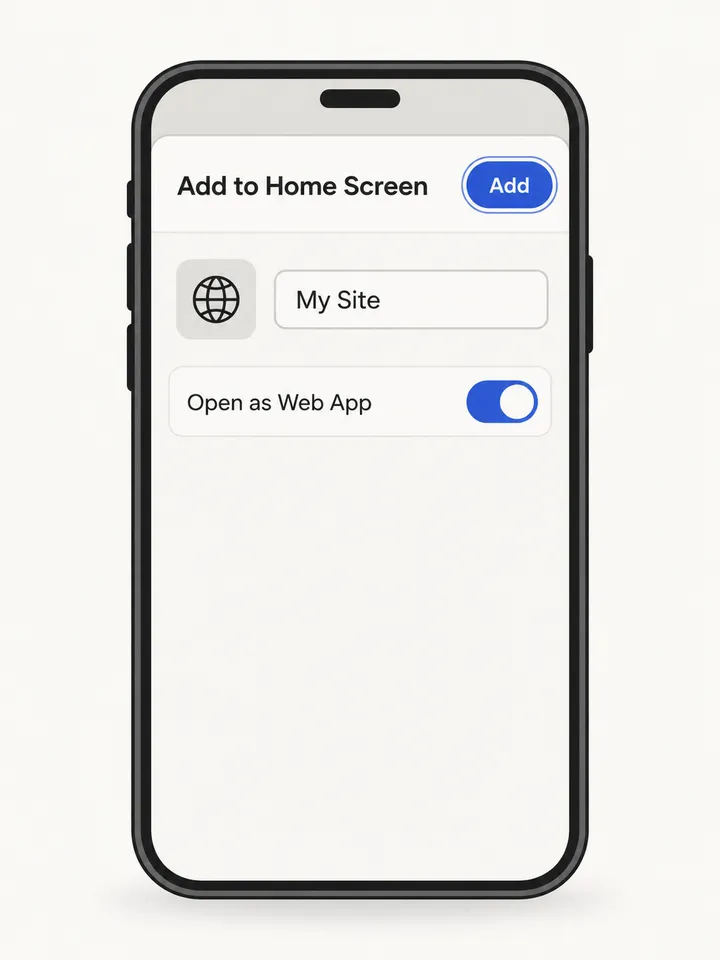
Shorten the name so it fits under the icon. On iOS 26, leave Open as Web App on to open it in its own window without Safari’s toolbar.
Using Chrome, Edge or Firefox on iPhone? Since iOS 16.4 they can do this too: tap the Share icon in the address bar, then Add to Home Screen.
On iPad the Share button sits in the top toolbar, next to the address bar, rather than at the bottom.
The icon lands on the current home screen page. Drag it into the Dock to keep it next to your apps.
Chrome offers two options. Install appears for sites built as installable web apps; Create shortcut works for every site.
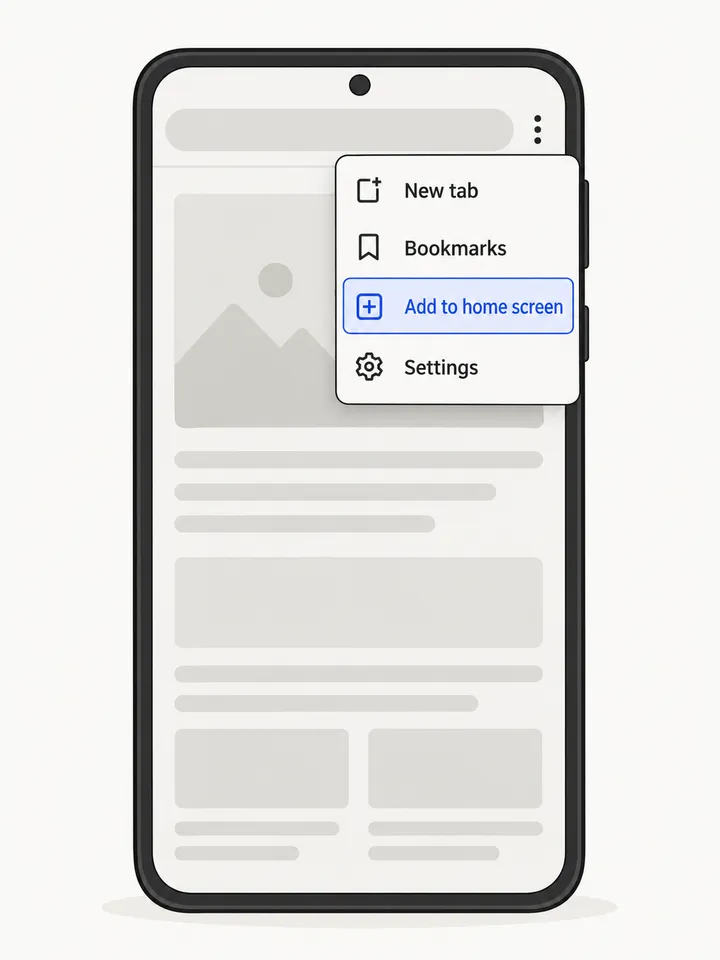
Open the site in Chrome and tap the three dots at the top right, then Add to home screen.
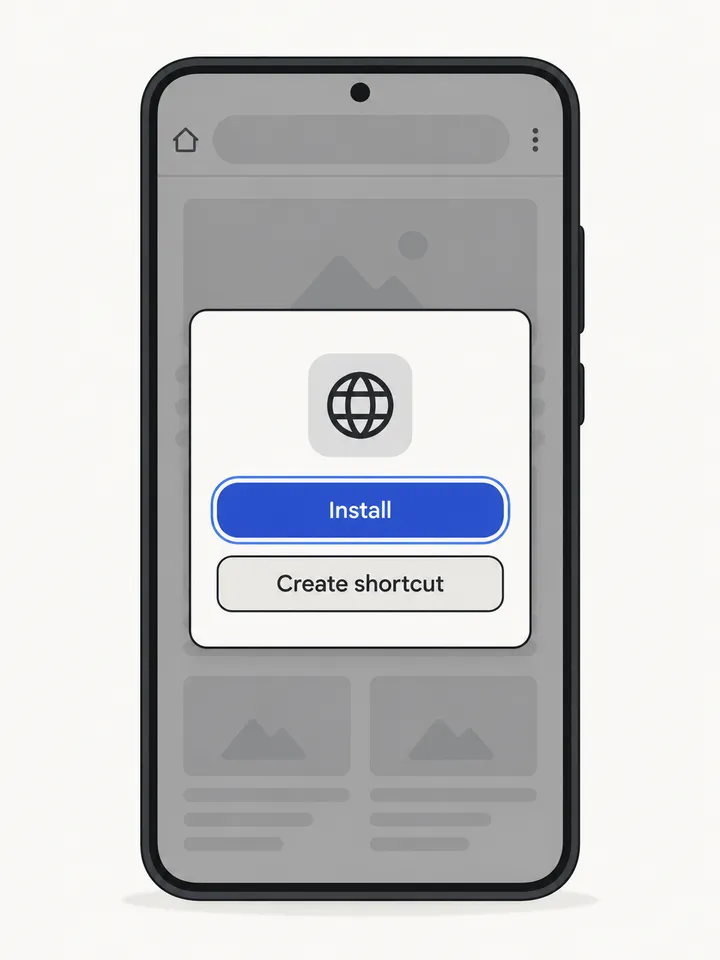
Install opens the site in its own window and adds it to the app drawer. Create shortcut opens it in a Chrome tab.
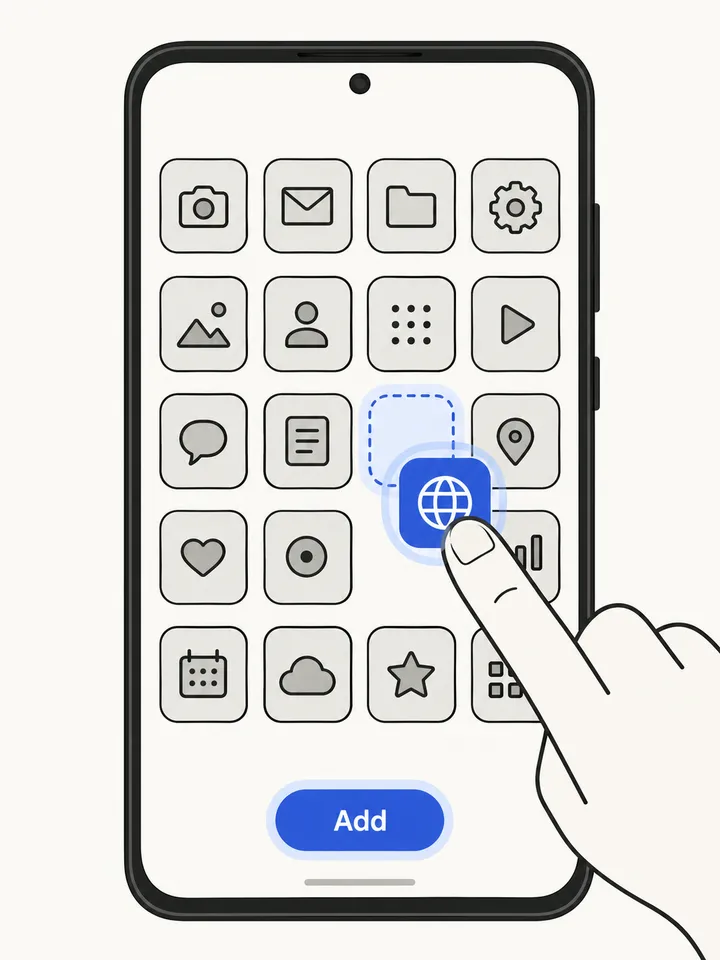
Tap Add, or touch and drag the icon to the spot you want. If it does not appear, look in the app drawer or turn on “Add new apps to Home screen” in your launcher settings.
Tap the ≡ menu at the bottom right, choose Add page to, then Home screen, and confirm with Add.
Tap ⋮, then Add to Home screen (shown as Add app to Home screen for installable sites), and confirm.
Links opened from Instagram, Gmail or Facebook use an in-app browser without this option. Use “Open in browser” first.
You are probably in an in-app browser. Tap the compass or “Open in Safari/Chrome” button first. On iPhone, also scroll to the very bottom of the Share sheet.
The website does not provide a home screen icon, so the phone uses a picture of the page. Only the site owner can fix this; see the section below.
On iOS 26, add it again with Open as Web App switched on. On Android, choose Install instead of Create shortcut when it is offered.
Home screen web apps keep their own cookies on iPhone. Sign in once inside the icon; your browser session is unaffected.
For website owners
Phones read three things from your HTML: an Apple touch icon, a web app manifest and a theme colour. With them, visitors get a sharp icon, the right name and a standalone window instead of a browser tab.
Use a 180×180 PNG for the touch icon and 192×192 plus 512×512 icons in the manifest, with no transparency on the Apple icon.
<!-- in <head> -->
<link rel="apple-touch-icon" href="/apple-touch-icon.png">
<link rel="manifest" href="/manifest.webmanifest">
<meta name="theme-color" content="#3256ce">
// manifest.webmanifest
{
  "name": "Example Store",
  "short_name": "Store",
  "start_url": "/",
  "display": "standalone",
  "theme_color": "#3256ce",
  "background_color": "#ffffff",
  "icons": [
    { "src": "/icon-192.png", "sizes": "192x192", "type": "image/png" },
    { "src": "/icon-512.png", "sizes": "512x512", "type": "image/png" }
  ]
}Adding to the home screen is a manual step each person repeats on each device. WebToApp turns your URL into an iPhone Web Clip profile and a signed Android APK you can share with one link.
FAQ
Yes. Nothing is downloaded or installed from outside your browser. The icon opens the same website with the same security as visiting it in the browser, and you can remove it at any time.
Only if the website was built to work offline. Most sites need a connection exactly as they do in the browser.
On iPhone and iPad with iOS 16.4 or later, a website opened from the home screen can ask for notification permission if the site supports web push. On Android, installed sites can do the same through Chrome.
Not from the Add to Home Screen sheet. The icon comes from the website. On iPhone you can create a Shortcuts app shortcut with the Open URLs action, then add it to the home screen with any image you choose.
A website opened as a web app keeps its own cookies and storage, separate from Safari. Sign in once inside the home screen app and it will remember you there.
Touch and hold the icon. On iPhone choose Delete Bookmark or Remove App; on Android choose Remove or Uninstall. The website itself is not affected.
Looking for something else? Convert a website to an app.