跳转到正文

Turn one .html file into an Android APK

Built a calculator, a quiz, a landing page or a small game in a single HTML file? Upload it and download a signed Android app. Check the file below first so nothing goes missing.

Check my HTML fileGo to the converter
index.htmlsingle-file ✓
<!doctype html>
<html lang="en">
<head>
  <meta name="viewport" content="width=device-width, initial-scale=1">
  <title>Tip Calculator</title>
  <!-- styles inline: nothing to fetch -->
  <style> body { font: 16px system-ui } </style>
</head>
<body>
  <main id="app"></main>
  <!-- a CDN library is fine; it needs a connection -->
  <script src="https://cdn.jsdelivr.net/npm/…"></script>
  <script> /* your code */ </script>
</body></html>

Free checker

Will your HTML file survive the upload?

The converter uploads exactly one file. Anything your page loads with a relative path (style.css, img/logo.png, about.html) is not part of that upload. The checker lists those paths before you convert.

  1. Relative scripts, stylesheets, images and media
  2. CSS url() backgrounds and fonts
  3. Links to other HTML pages
  4. The page title, viewport tag and the 10 MB limit

应用配置

1选择来源

粘贴网站地址,我们会自动读取名称、图标和主题色。

2打造你的应用

免费构建会使用 WebToApp 图标,并在名称后加上“· WebToApp”。 查看套餐

自定义设置(可选)图标、外观、公开设置和平台选项
Android · 高级设置
Windows / Linux

Your first successful build is free. Uploaded HTML is hosted for a 7-day trial; keep it online longer with Hosted Site.Pricing

Preparing the file

Six things that make an HTML app feel native

01Design for a phone-width screen

When your page is hosted, the converter adds a mobile viewport tag if it is missing and turns off pinch zoom, so the app feels like an app. Your layout still has to work at 360–430px wide. If you write the tag yourself, use:

<meta name="viewport"
  content="width=device-width, initial-scale=1">

02Inline small assets

Put CSS in a <style> block and scripts in <script>. Small images and icons can be SVG or base64 data URLs. Libraries can stay on a CDN with a full https:// address.

03Stay under the limits

A single upload can be up to 10 MB. Base64 makes images about a third larger, so move big images and audio into a ZIP project instead.

04Keep state in storage

localStorage and IndexedDB persist between launches because each uploaded app has its own origin. Save scores, drafts and settings there rather than in memory.

05Let users save files

<input type="file"> opens the Android file picker, and links to generated files (blob: or data:) download to the Downloads folder. A download attribute sets the file name.

06Design for touch

Make buttons at least 44px tall, avoid menus that only open on hover, and keep important controls away from the screen edges where Android gestures live.

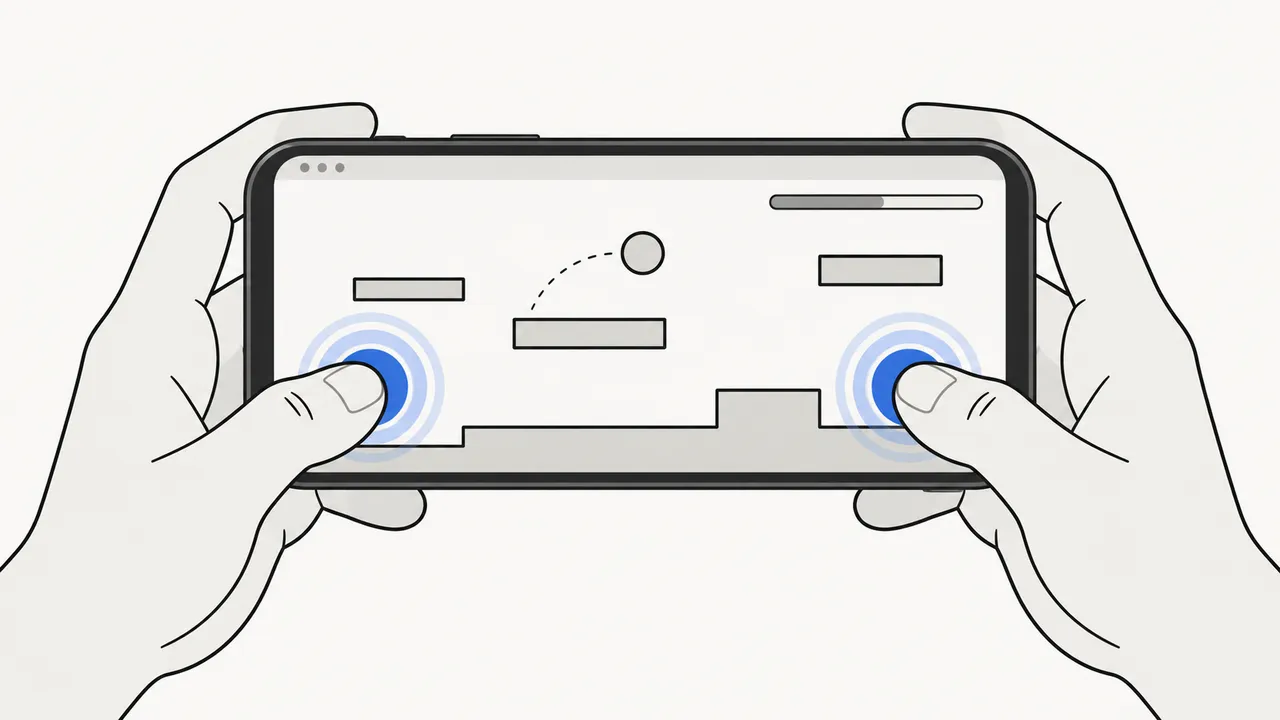
An HTML5 game running full-screen on a phone held in landscape

HTML5 games and toys

Turning an HTML5 game into an APK

Canvas and WebGL games are a natural fit. Turn on the full-screen option in the converter so the status and navigation bars stay out of the way.

  • Start audio after the first tap; Android blocks sound that plays on load.
  • Size the canvas from window.innerWidth and listen for resize, because phones rotate.
  • Use pointer or touch events; there is no keyboard on most phones.
  • Save progress in localStorage so it survives the app closing.

Pick an input

Single HTML file, ZIP or URL?

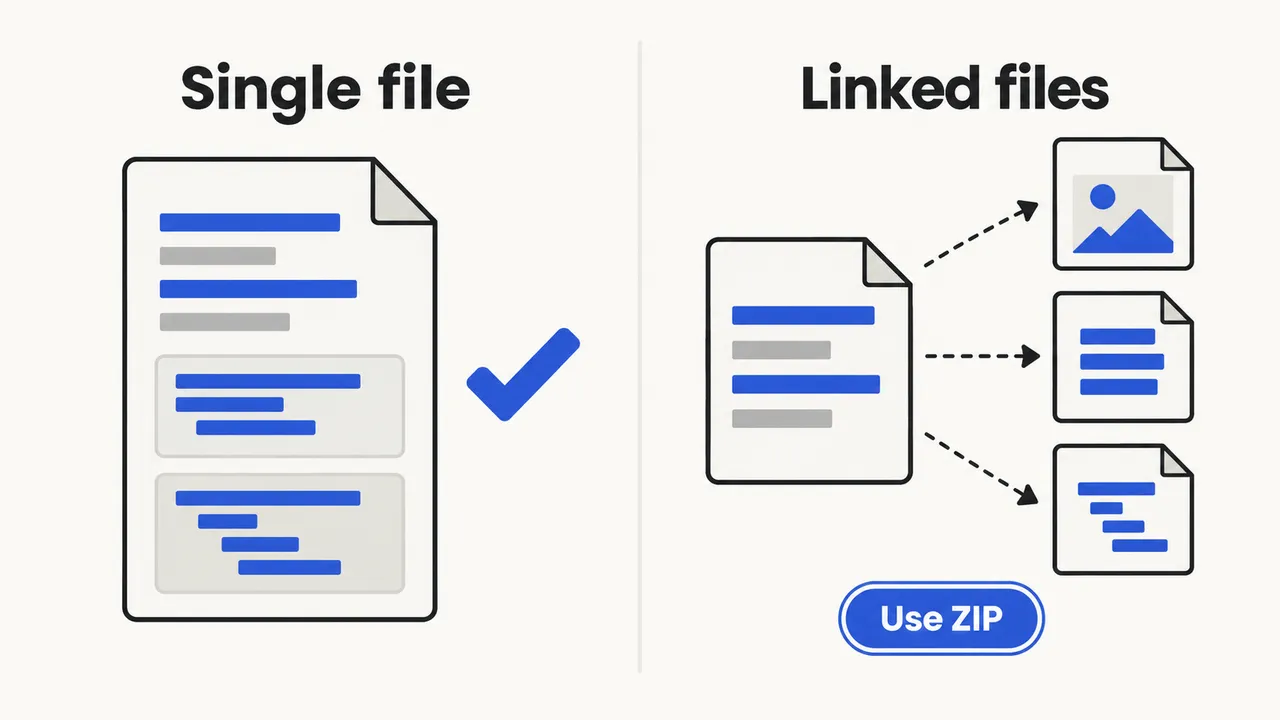
A single HTML file with inline code compared with an HTML file linking separate files that needs a ZIP
Your projectUse
One page, everything inline or on a CDNHTML to APK (this page)
Several pages, an images folder, a framework buildZIP to APK
Already online at an https:// addressWebsite to APK

Uploads are hosted as static files. PHP, Node.js or Python code inside an HTML project is not executed, so forms that post to a server script need an external backend.

FAQ

HTML to APK questions

Does the APK work offline?

Not by default. Your HTML is hosted by WebToApp and the app loads it from there, so it needs a connection. A page that registers its own service worker can cache itself after the first visit, but test that on a phone.

How long is my uploaded HTML hosted?

Uploaded HTML and ZIP sites are hosted for a 7-day trial. To keep an uploaded app working after that, add Hosted Site from the pricing page. Apps built from a URL use your own website and do not need it.

Does JavaScript work in the converted app?

Yes. The app runs your page in Android System WebView, a current Chromium engine, so modern JavaScript, canvas, WebGL, Web Audio, localStorage and IndexedDB work as they do in Chrome on Android.

Can I convert several HTML pages?

Use a ZIP. A single upload contains one HTML file only, so links to other .html files break. Put all pages and assets in one folder, name the first page index.html and use ZIP to APK.

Is my localStorage data kept between launches?

Yes. Each uploaded app runs on its own web origin, so its storage survives restarts and is not shared with other apps. Clearing the app’s storage in Android settings erases it.

Can I use HTML5 game engines?

Exported HTML5 builds from engines such as Phaser, PlayCanvas or Construct usually work when they are a single file or zipped with their assets. Very large exports may exceed the 20 MB unpacked limit.