
index.htmlWebsite files
An exported site: index.html plus CSS, JavaScript, images and fonts.
Convert it below →“ZIP to APK” means four different things. If your ZIP contains a website (an index.html with its CSS, scripts and images), this page turns it into a signed Android app. If it contains something else, you will find the right next step here too.

Start here
Look inside the archive, or drop it in the checker below and the matching card lights up.
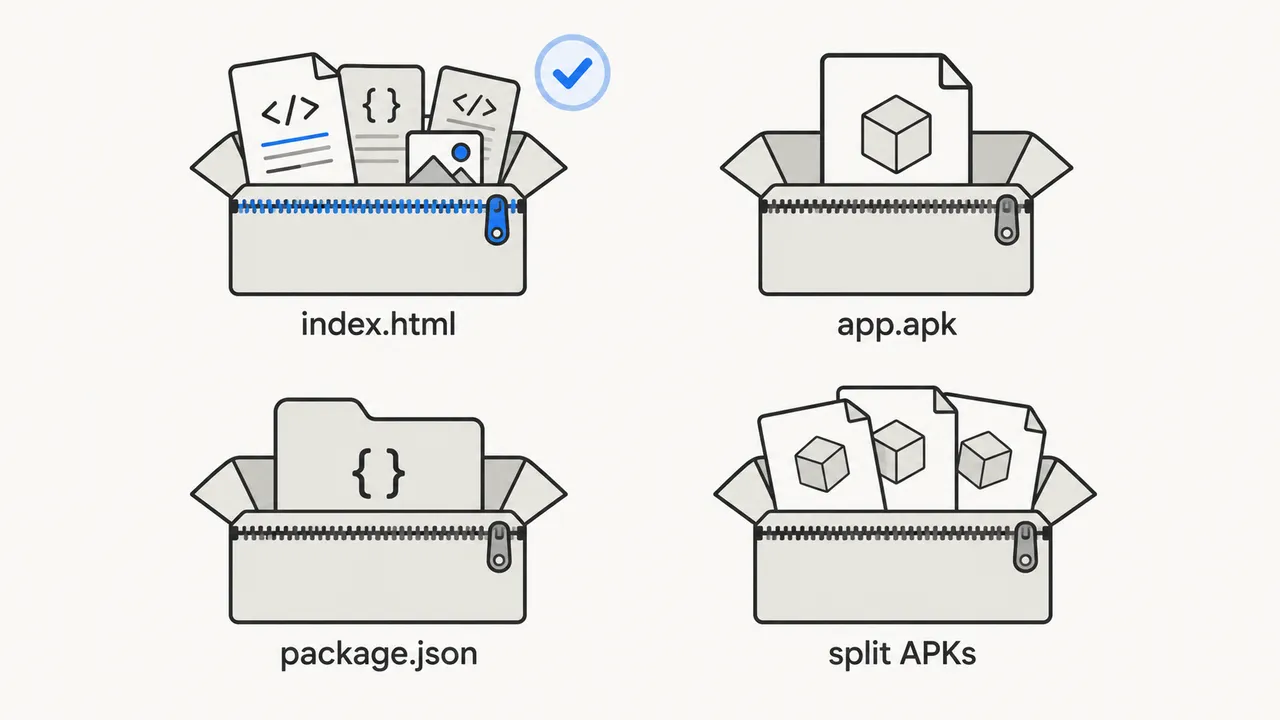
index.htmlAn exported site: index.html plus CSS, JavaScript, images and fonts.
Convert it below →app.apkSomeone zipped an Android app to send it. It is already an app.
Extract it, then tap the .apk to install..apks / .xapkSeveral APK parts for one app. Renaming the file to .apk will not work.
Use a split-APK installer you trust.package.jsonA React, Vue or other project that has not been built into plain HTML yet.
Build it first →ZIP checker
The checker reads the archive’s file list in your browser and applies the same rules as the converter: a top-level index.html (one wrapper folder is fine), under 500 files, under 20 MB unpacked, and no executables or secrets.
It also opens index.html to look for asset paths that start with /, the most common reason an uploaded build shows a blank screen.
Your first successful build is free. Uploaded sites are hosted for a 7-day trial; keep them online with Hosted Site.Pricing
From source code
Uploaded sites are served from a sub-folder, not the root of a domain. Build with a relative base path, then zip the output folder, not the project.
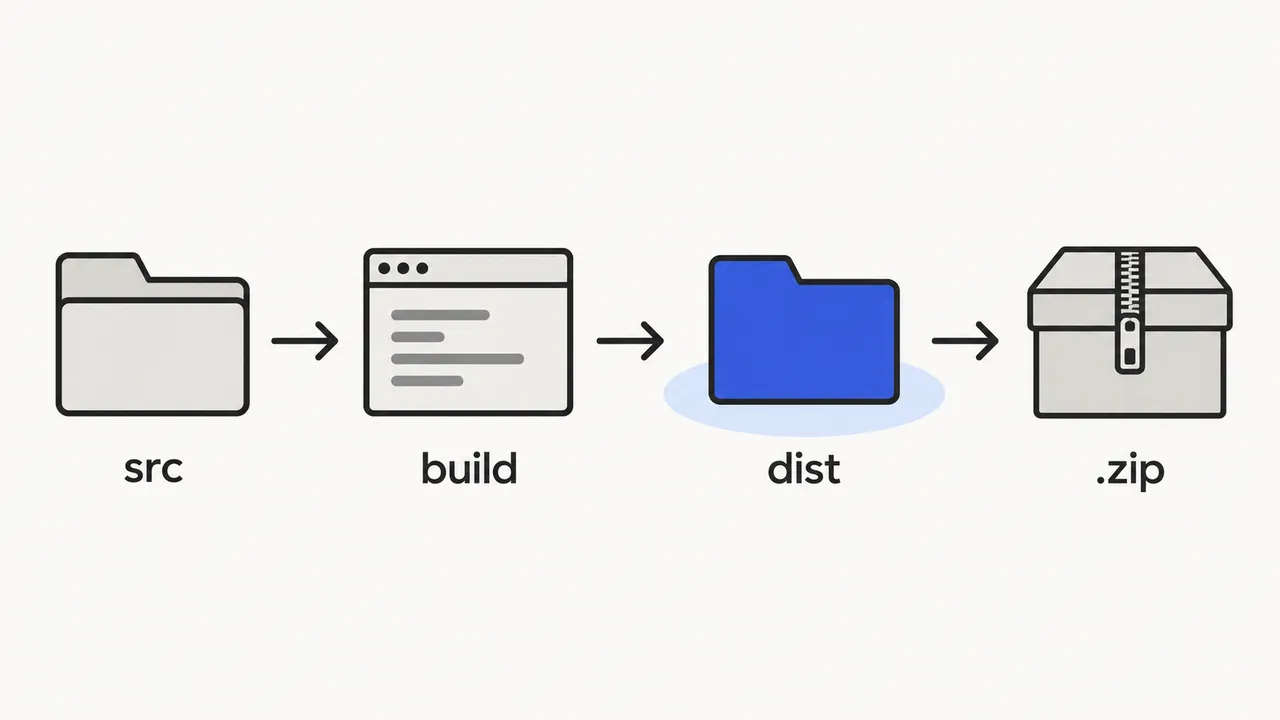
| Project | Build command | Zip this folder | Before building |
|---|---|---|---|
| Vite (React, Vue, Svelte) | npm run build | dist/ | Set base: './' in vite.config |
| Create React App | npm run build | build/ | Add "homepage": "." to package.json |
| Vue CLI | npm run build | dist/ | Set publicPath: './' in vue.config.js |
| Angular | ng build --base-href ./ | dist/<name>/browser/ | Use withHashLocation() for routing |
| Hugo | hugo | public/ | Set relativeURLs = true |
| Plain HTML site | none | the site folder | Link files with ./ paths, not / |
Single-page apps should use hash routing (/#/settings). The app starts at the site folder, so path-based routes show your “not found” page. Next.js and Astro exports rely on root paths such as /_next/; deploy them and use Website to APK with the live URL instead.
Packaging rules
Maximum ZIP upload. Compress images to WebP or AVIF to stay under it.
Unpacked size and file count. Delete source maps and unused fonts.
At the top level or inside one wrapper folder. The name is case-sensitive.
macOS __MACOSX folders and .DS_Store files are ignored, so zipping from Finder is fine. Encrypted ZIPs are not supported.
FAQ
No. An APK is a ZIP-based format, but it must contain compiled Android code, a manifest and a signature. Renaming a ZIP of website files produces a file Android refuses to install.
Open the Files app on the phone, tap the ZIP, choose Extract, then tap the .apk inside and allow installs from the Files app when asked. Nothing needs converting.
The ZIP itself must be under 10 MB, unpack to under 20 MB and contain at most 500 files. Executables, shell or Python scripts, keys and .env or .git files are rejected.
Uploaded sites are hosted for a 7-day trial. Add Hosted Site from the pricing page to keep the app working after that. The APK keeps opening the hosted copy for as long as hosting is active.
Yes. Open the app in My apps, upload the new ZIP and rebuild. The app keeps its Android signing key, so the new APK installs over the old one.
Yes, as long as you upload the built output, set a relative base path and use hash-based routing. If the app is already deployed, converting its URL with Website to APK is simpler.